
Help us test the Gippslander app
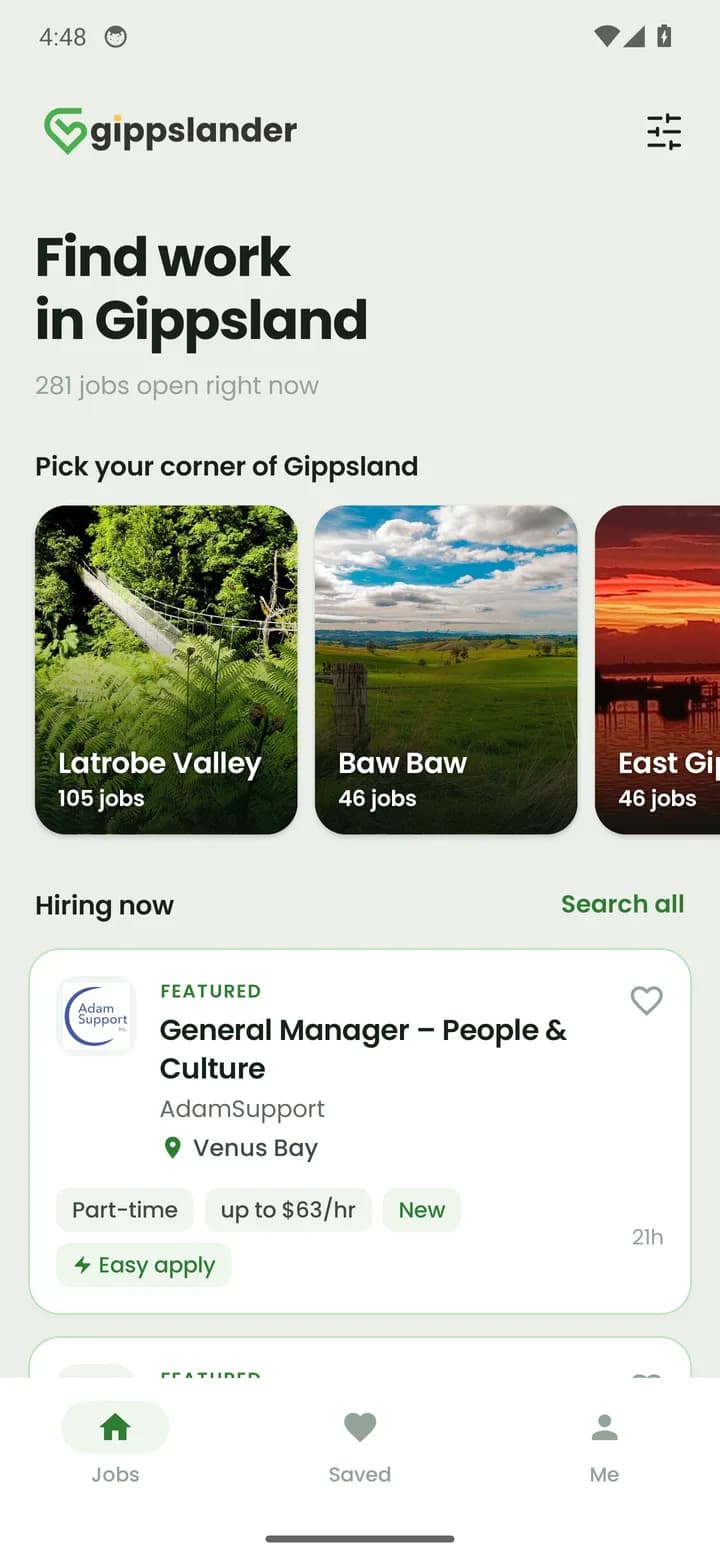
Our new Android app is nearly ready. Get it before everyone else, tell us what you think, and help make it great for job seekers right across Gippsland.
- Every local job in one place
- Save jobs for later
- Easy apply on the go
2 quick steps, about 2 minutes
- 1
Join the testers list
Tap the button, then tap Join group
Use the Google account on your phone. If Google then says you can’t view the content, ignore it. You’re in.
- 2
Get the app on Google Play
Tap the button, then tap Become a tester
Then tap the Google Play link on that page to install it. Use the same Google account as step 1. If Google Play says you can’t join yet, it can take up to an hour after step 1. Try again a bit later.
On an iPhone? The app is Android only for now. Open gippslander.com.au in Safari, tap Share, then Add to Home Screen.
Questions
Why do you need testers?+
Before the app goes public on Google Play we want locals using it and telling us what’s broken or missing. You get it first, we make it better.
Does it cost anything?+
No. The app is free, and so is testing it.
Which Google account do I use?+
The one signed in to the Play Store on your Android phone. Use the same account for steps 1 and 2, or the app won’t show up.
How do I tell you what I think?+
Leave private feedback on the app’s Play Store page, or send us a message through our contact page. Screenshots help a lot.
Can I stop testing?+
Any time. Open the Google Play link in step 2 again and choose Leave the program, then uninstall the app.
Stuck on a step? Get in touch and we’ll sort it out.